How to Scale Your App with Custom Product Pages (The Right Way)
Most developers think scaling Apple Search Ads is about bidding higher.
It’s not.
Apple Search Ads doesn’t consistently reward the highest bidder — it rewards the most relevant bidder. And once you understand how relevance works, Custom Product Pages (CPPs) stop being a “nice to have” and become a scaling weapon.
Apple Search Ads Is a Relevance Auction, Not a Money Auction
Every keyword auction is decided by two forces:
Your bid
Your relevance score
Relevance is inferred from behavior, mainly:
View → Tap conversion (does your ad get clicked?)
Tap → Install conversion (does the page convince users to install?)
If your ad and product page match the user’s intent better than competitors, Apple can:
Show you more often
Charge you less per tap
Let you win auctions without raising bids
This is why smaller apps sometimes beat bigger budgets.
Step 1: Find What Actually Sells (Before Touching CPPs)
Before you create a single Custom Product Page, you need to answer one question:
Which keywords actually convert into paying users?
Not which keywords sound good.
Not which keywords have the most volume.
Which ones sell.
A fitness app may perform poorly on “fitness app” but convert on “calorie counter.”
An AI image app may struggle on “AI image generator” but work on “AI face swap photo” or “AI face swap video.”
People don’t pay for categories.
They pay for specific outcomes.
Here’s the hard part:
Apple Search Ads is great at telling you which keywords generate installs — but installs alone don’t tell you what’s working as a business.
This is where most developers get stuck. They end up:
Scaling keywords that look busy but don’t convert
Killing keywords that quietly produce subscribers
Building Custom Product Pages around installs instead of revenue
With AppSkale, you can see which Apple Search Ads keywords actually sell — and which don’t.
It does this by connecting Apple Search Ads keyword data with real subscription and purchase events from RevenueCat, so you’re looking at revenue, not guesses.
If you don’t know your converting keywords yet, CPPs won’t save you.
They only amplify what already works.
Step 2: Build CPPs Around Proven Keywords — Not Features
Once you identify a keyword that converts, you build a page that mirrors the exact intent behind that keyword.
If the keyword is “calorie counter”, your CPP should:
Show calorie tracking screens immediately
Use “Calorie Counter” in screenshot titles
Remove distractions unrelated to that use case
If the keyword is “AI face swap video”, your CPP should:
Show face-swap results instantly
Talk about video face swap, not generic AI generation
Make the value obvious in under 3 seconds
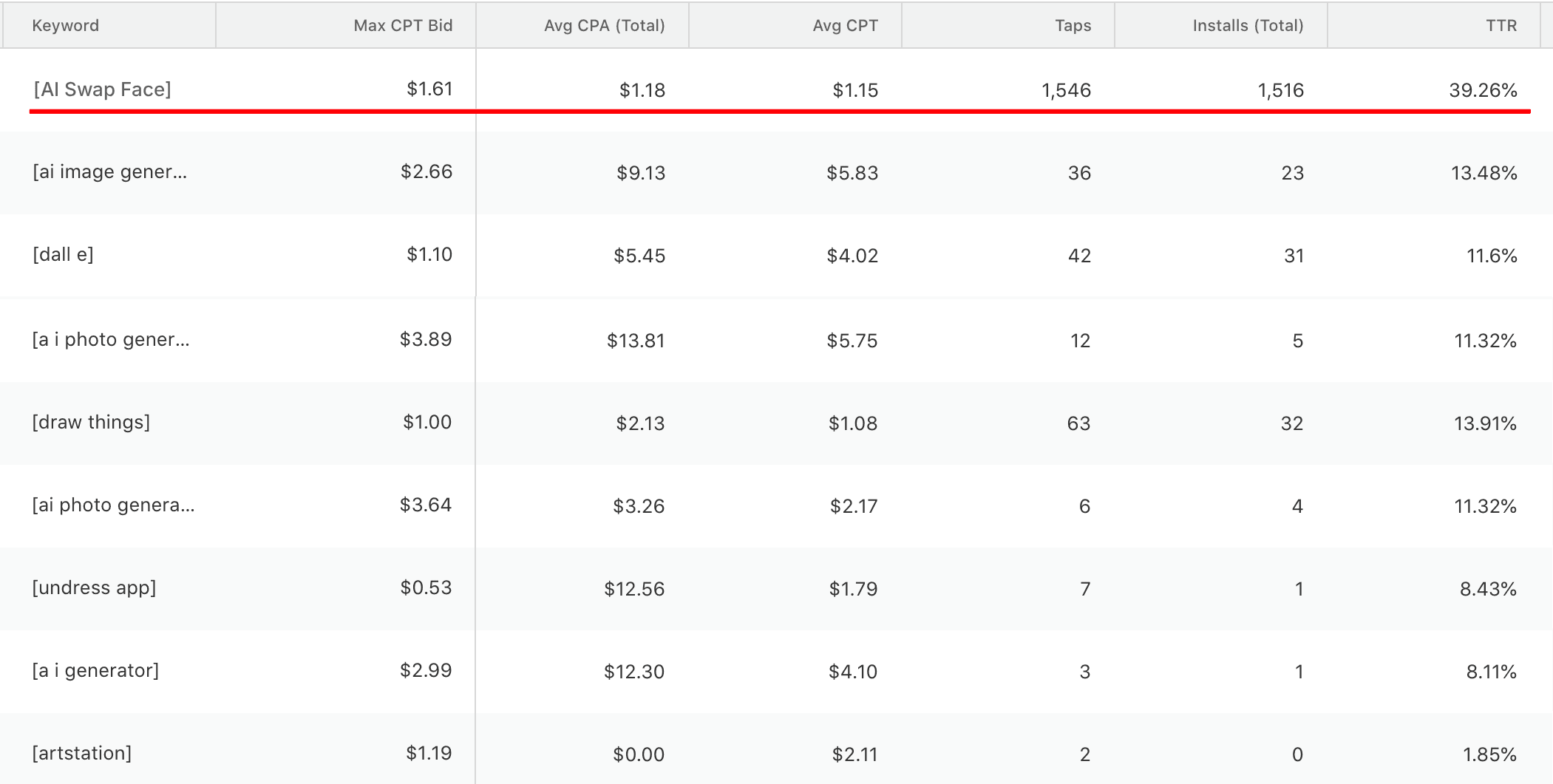
The goal is simple:
When a user lands, they should think
“This is exactly what I searched for.”
That feeling is relevance.
Step 3: Better Relevance Lowers Your Costs Automatically
Here’s where most people get surprised.
As your tap → install conversion improves, Apple’s system:
Rewards you with better auction placement
Lowers your effective cost per tap
Lets you win impressions at bids that previously didn’t work
You might start at $5–$10 per install.
But as relevance improves, CPI often drops — sometimes to break-even, sometimes to profitable.
You didn’t change bids.
You changed intent alignment.
Step 4: Turn LTV Into a Scaling Switch
Now comes the only math that matters:
LTV vs CPI
If CPI > LTV → you’re burning money
If CPI < LTV → you’ve found a scaling lever
When a keyword is profitable:
Remove artificial budget caps
Increase spend aggressively
Let the auction fill as much volume as it allows
Then repeat the process:
Find the next keyword.
Build the next CPP.
Improve relevance again.
The Real Scaling Ceiling Most Apps Never Reach
Most apps stall at:
1–2 semi-working keywords
Generic product pages
No clear signal of what’s profitable
But if you reach:
5 profitable keywords
$200–$500/day per keyword
You’re suddenly spending:
$1,000–$2,500 per day
On keywords that already proved they work
That’s not experimentation anymore.
That’s controlled scale.
Why Most Apps Never Get There
They fail because they:
Treat Apple Search Ads as “set and forget”
Build CPPs without knowing what converts
Don’t measure keyword-level performance clearly
Scale installs instead of profitability
CPPs don’t create growth by themselves.
They multiply clarity.
Final Thought
Custom Product Pages are not a design exercise.
They are a relevance amplifier.
Find what sells first.
Then build pages that scream relevance.
Then scale only what proves it deserves scale.
